
By Jason Frelich · Published
How to Switch Web Designers Without Losing Your Site or Your Rankings
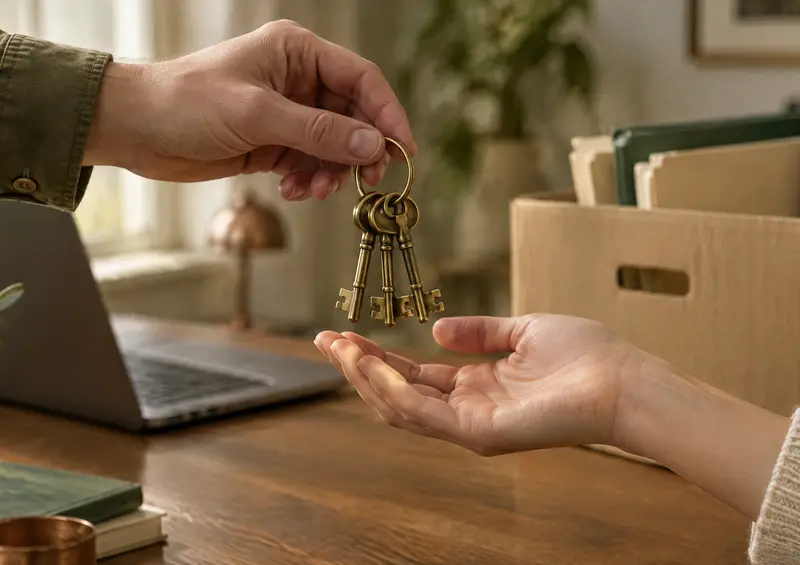
Most owners do not decide to switch web designers. The decision gets made for them, when an email about a small change goes unanswered for three weeks, or a renewal notice arrives from a company they have never heard of, or the site goes dark for a day and comes back with no explanation. By the time they search for how to switch, they are not shopping. They are worried.
The good news is that switching is routine when it is done in the right order, and a site built by someone you can no longer reach does not have to go with them. We take over sites in this situation for businesses anywhere in the US, so here is the order that works, including what to do if you have no passwords at all.
Step 1: Find out what you own
A website is really four or five accounts, and the first job is finding out which of them are in your name. Gather what you can. Nothing has to be complete yet.
- The domain registrar. The company your domain name is registered with. This is the one account you cannot afford to lose, because everything else hangs from it. Search your email for "domain", "renewal" and the name of your site.
- Hosting. Where the site's files live. Look for an old invoice, a welcome email or a recurring card charge from a hosting company.
- DNS. The settings that point your domain at the hosting and your email. Usually managed at the registrar, sometimes at the host.
- The website admin login. For a WordPress site, the address ending in /wp-admin/ and a username and password. For a builder, the account the site was made in.
- Google Analytics, Search Console and your Google Business Profile. These should belong to a Google account the business controls, with the designer added as a user, not the other way around.
Write down what you have and what you do not. If the answer to most of these is "I don't know", you are in the majority, and it is still fixable.
Step 2: Secure the domain before anything else
If the domain is registered in your business's name, log in, confirm the email address on the account is one you control, turn on two factor authentication and check the renewal date. Done.
If the domain is registered in the designer's name, which is common, ask them in writing to transfer it to an account you create. Most will, even designers who have gone quiet, because a transfer costs them nothing. If they do not respond, registrars have account recovery and dispute processes for a business that can show it owns the name through invoices, trademarks or years of use. Start that process now rather than after the switch, because a domain that expires in a designer's abandoned account can be bought by anyone.
Step 3: Get a copy of the site
Before you change anything, make sure a complete copy of the site exists somewhere you control. If you have hosting access, your new designer can take a full backup of the files and database. If you do not, the new designer can usually copy the public pages, and the host can often release a backup to the business that pays the bill. Even a partial copy means the switch cannot leave you with nothing.
Step 4: Choose where the site goes next
Now you are ready to pick the new designer, and this is the time to ask the questions that would have prevented the current situation:
- Will the domain, hosting and admin accounts be in my name?
- Is there a contract, and what happens if I leave?
- Who do I call when the site is down, and how quickly do changes get made?
- Can you take the site as it is, or does it need to be rebuilt?
Our answers: everything is in your name, there is no contract, you reach Jason directly, changes are made in under 48 hours, and we host and maintain WordPress sites and static sites as they are. If a site was built on something else, we say plainly whether we can take it on or whether it is better rebuilt.
Step 5: Move the site without downtime
The move itself is the part owners fear most and the part that is most routine. The order matters:
- The site is copied to the new hosting and tested there, at a temporary address, while the old copy keeps serving visitors.
- Email is checked. Many business email accounts route through the same DNS as the website, and a careless switch takes email down with it. The new designer confirms your mail records before touching anything.
- The domain is pointed at the new copy. Visitors start reaching the new hosting within minutes to a few hours, and the old copy stays up as a safety net until the switch is confirmed.
- Backups, SSL, security scans and software updates start on the new hosting from the first day.
- Analytics and Search Console are set up in an account you own, so you can see traffic and Google's messages yourself.
Done this way, no visitor sees an error and no customer notices anything changed except that the hours are finally correct.
Step 6: Protect your rankings
Moving a site to new hosting with the same pages at the same addresses does not change your Google rankings. Google sees the same site at the same place. What does change rankings is a redesign that launches with new page addresses and no redirects, which is the most common way a business loses the search traffic it spent years earning.
So if you are switching designers and redesigning at the same time, insist on this: every old page address gets a permanent redirect to its replacement, and the titles and content that already rank are kept. We do this on every redesign and the full process is in our redesign SEO checklist.
Step 7: Close the old accounts, on your terms
Once the site is live on the new hosting and has been for a couple of weeks, cancel the old hosting, remove the old designer's access from any account they are still on, and change any shared passwords. Keep the old backup. Then send the old designer a polite note that the site has moved. Most relationships end quietly, and a clean handoff protects you if a question comes up later.
After the switch: three ways to go
Switching designers and redesigning the site are two decisions, not one. Once the site is safe, you can:
- Keep it as it is. If the site does its job, it gets hosted, backed up, updated and changed when you ask. Nothing else has to happen.
- Fix what is broken. Expired certificates, broken forms, missing pages and stale content get fixed on the maintenance plan, and larger repairs are quoted in writing.
- Redesign it. If the site is holding the business back, it gets redesigned without losing the rankings it has.
If you are not sure which, run the site through our free website grader. It scores speed, security, SEO and accessibility from 0 to 100 and tells you what is wrong, with no email required.
If the designer has disappeared entirely
Everything above assumes you can at least send an email. If the freelancer has stopped replying, the agency has closed or been sold, or the person who built the site simply moved on, the process is the same but starts with less. Our website takeover service exists for exactly this: we secure what you own, recover what we can, move the site to our hosting and look after it from then on, for $200 a month with no contract. Tell us what you know about the site, even if that is only its address. Jason replies in under 24 hours.
Frequently asked questions
What owners ask when they are ready to move on.
Yes, but the domain comes first. Ask the designer in writing to transfer it to an account in your business's name. If they will not respond, registrars have recovery and dispute processes for the business that can prove it owns the name. We help with this as part of every takeover.
Not if it is done in the right order. The site is copied to the new hosting and tested there first, and the domain is pointed at the new copy only when it is ready, so the old copy keeps serving visitors until then.
Moving a site to new hosting with the same pages and addresses does not change rankings. Redesigning it at the same time can, unless every old address is redirected to its replacement. We do that on every redesign, and the full list is in our redesign SEO checklist.
Start anyway. Most takeovers begin with partial access. Hosts and registrars can recover accounts for the business that owns them, and the site files can usually be copied once hosting access is restored. Tell us what you know and we will say what we can recover and what needs your signature.
Once the site is on our hosting, hosting and maintenance is $200 a month with no contract. The written quote before any work starts says whether the move itself costs anything on top of that. Often it does not.
No. If the site does its job, we host it, back it up, keep it updated and make your changes. A redesign is a separate decision you can make later, and our free website grader will tell you whether the site needs one.

Lead Web Designer and Developer at Lackey Designs. The company has been around since 2006, and Jason brings 20 years of design and development experience to every site he builds. More about Jason

Is the site still healthy?
Get a free 0–100 grade for speed, SEO, accessibility, security, and whether ChatGPT and other AI tools can find you. No email required.
Rather have it done for you?
Lackey Designs builds, hosts and markets websites for small businesses, from $200/month or $0 upfront with Grow Together. Tell us about your business and we'll send a free estimate.